
Smart client intake
Intake forms that adapt to the matter type, collect documents and create the matter automatically.
Intake, matters and documents handled by tools that save hours, while every legal judgement stays with your lawyers.
A typical first version
Same building blocks as PayRight, powered by GovernTerms (UK) and IST Networks
What I build
Intake forms that adapt to the matter type, collect documents and create the matter automatically.
Matters, tasks and court dates in one place, with reminders nobody can miss.
Engagement letters and standard documents generated from intake data, ready for review.
Clients upload documents, sign and see status without emailing for updates.
Your precedents and templates searchable in plain English, with sources.
Pipeline, workload and billing in one dashboard.
AI, right now
Small and mid-size firms spend hours on work that needs no legal judgement: first replies to enquiries, deadline reminders, intake forms and status updates. Legal technology guides for 2026 point to automating exactly those jobs first, and to AI for document review, with lawyers in control.
I haven’t built for a law firm yet, so I won’t pretend otherwise. What I bring is the same building blocks I’ve shipped for real clients, shown below.
AI extracts clauses, dates and parties from contracts and documents, each linked to its page, for a lawyer to confirm.
New enquiries acknowledged and qualified instantly, with conflict-check details collected.
Clients kept informed automatically as matters move, without fee-earner time.
First drafts based on your own templates, reviewed and owned by a lawyer.
Similar work
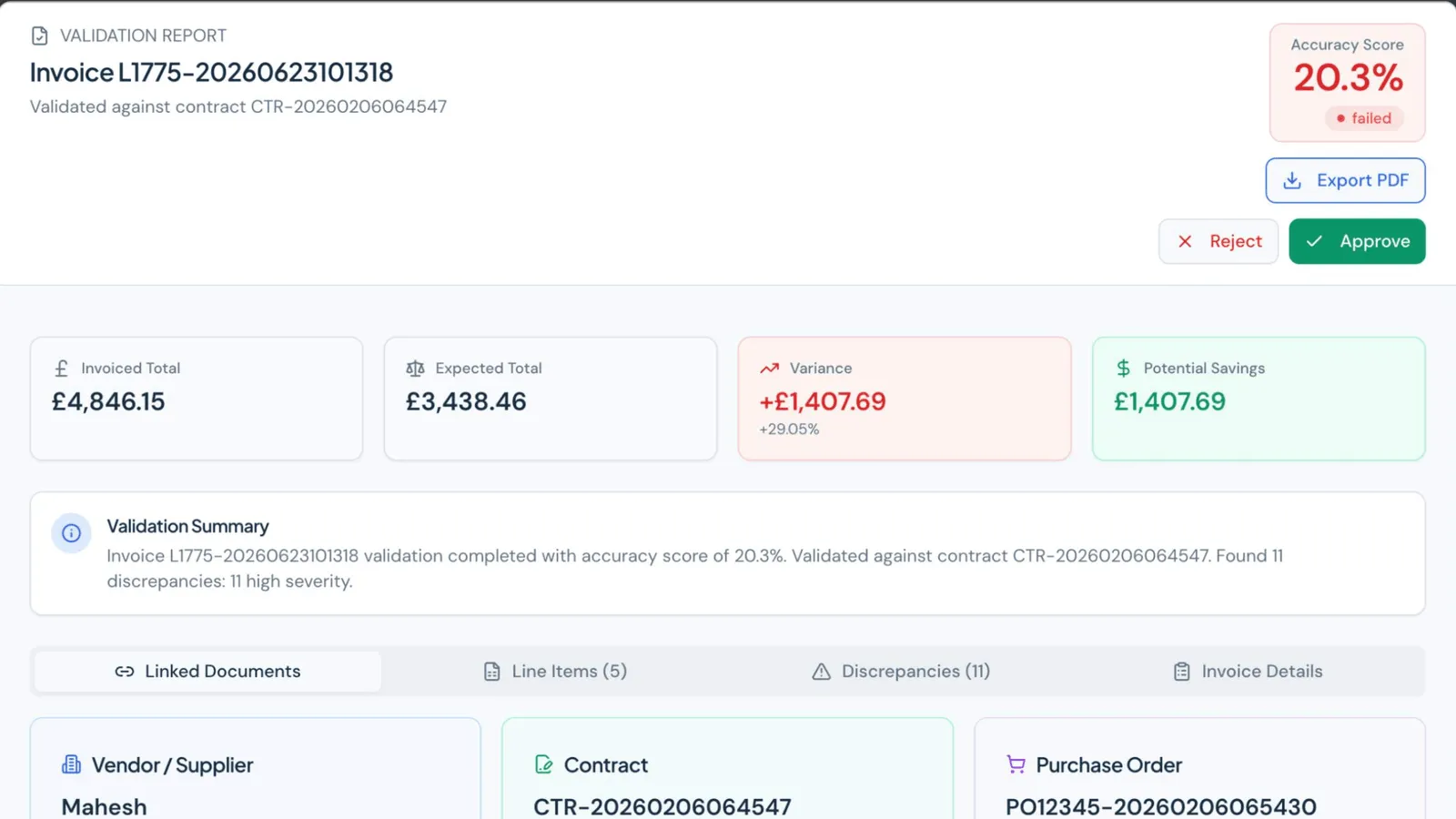
RAG and AI chatbots
A UK contract compliance and invoice assurance platform. AI extracts contract clauses, people confirm them, and every invoice is scored against contract and PO.
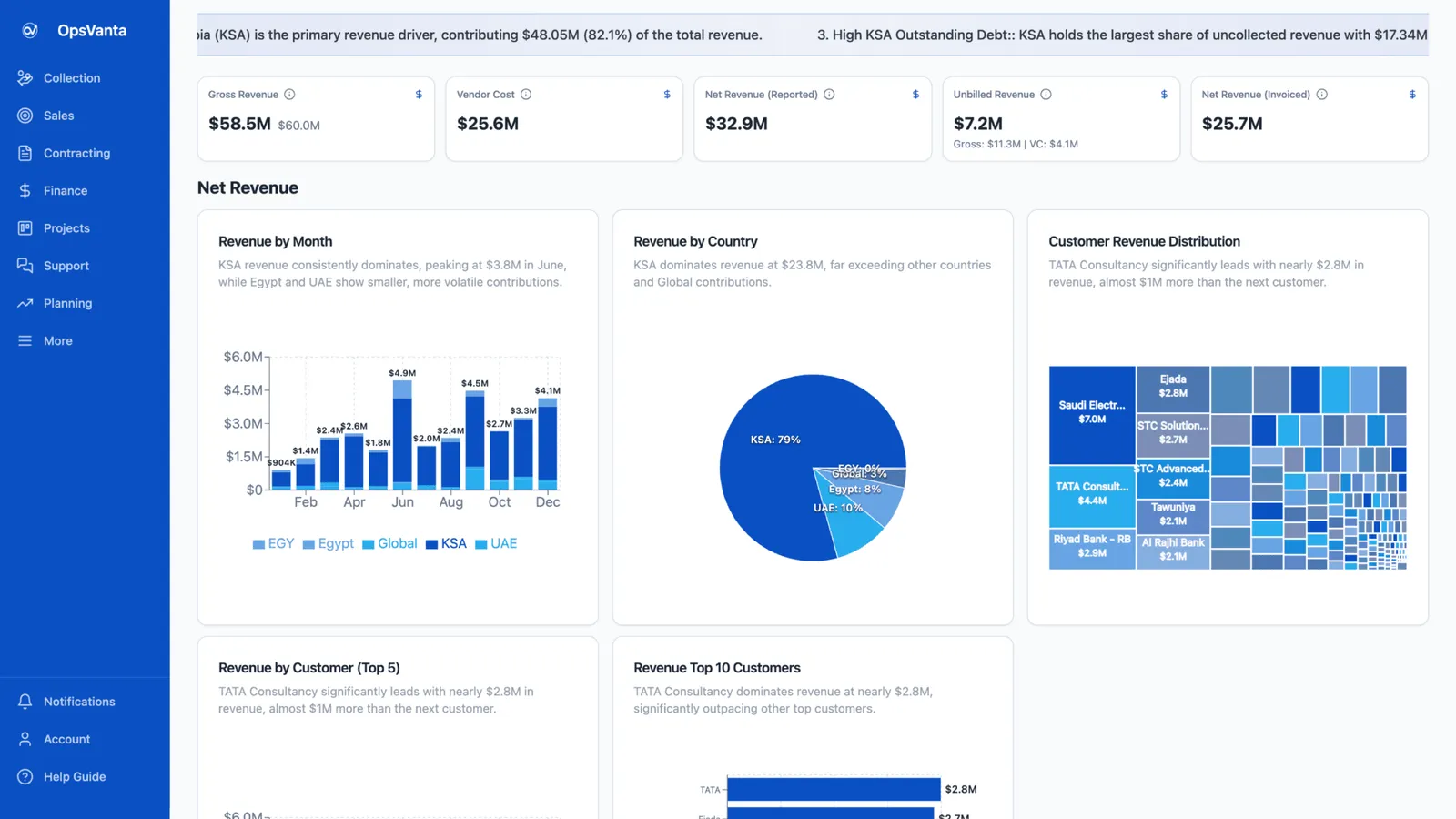
MVP and SaaS development
An internal ERP built solo with Lovable and Claude Code on Lovable Cloud, running sales, projects, tickets, collections, finance and AI insights in one place.
Call
A 30-minute call about what you need, who it is for, and what success looks like.
Scope
A written scope: features, architecture, timeline, price range and risks.
Build
Working increments you can click through, not a big reveal at the end.
Ship
Live on your domain and hosting, with a handover so you know how it runs.
More in how I work, or see rag and ai chatbots.
Questions
It can be, with the right setup: providers that don't train on your data, access by role, sources on every output and a lawyer reviewing everything. That's how I built PayRight's contract analysis.
If they fit, use them. Custom tools make sense for a practice area with its own workflow, for connecting systems, or for AI built on your own precedents.
Often, through its API. That's confirmed in the scope.
A focused first version is a fixed-price project, scoped and priced after a 30-minute call (MVPs start from $3,000). Ongoing work can run on a monthly retainer.
A 30-minute call is enough to tell whether it fits, what the first version should include, and how long it takes.
 Prayag Dalal · Top Rated on Upwork, 34 jobs completed